Proxies for multiple accounts: how to choose and set up
Proxies for multiple accounts give each authorized login its own IP, keeping sessions separate and consistent. Teams with a platform's built-in team access tool rarely need anything extra. A dedicated IP per profile becomes useful once an agency, brand, or QA team runs authorized logins that native tools cannot cover, such as regional brand accounts or isolated testing setups.
Legend used in every table below: ✅ documented by the vendor · ❌ not offered or not documented · ⚠️ documented with limits · 💡 practical tip · 🔗 link to a related page. No other marks are used on this page.
Who legitimately manages multiple accounts
Running several accounts on one platform is routine for teams with real authorization. Agencies manage client ad accounts across many brands. E-commerce sellers run separate storefronts on Amazon, Etsy, or their own sites. Regional brand teams need logged-in profiles per market, and QA teams test builds under distinct accounts. For this kind of work, multi account proxies give each profile a stable connection instead of one shared office IP.
Use platform-native multi-user access first
Before reaching for any proxy, check whether the platform already has a supported way to share access, since this is the step most teams skip. Meta Business Manager, Google Ads manager accounts, and TikTok Business Center let an agency employee log into a client's dashboard directly from their own login, without a second profile or IP. This removes most account-linking problems covered later. For agencies juggling several clients, social media proxies are not the first tool to reach for when native access exists.
Native access does not cover everything, and that gap is worth naming clearly here. A regional brand with logins per country, a QA team testing an app from a specific city, or a contractor needing an isolated environment still needs a dedicated connection. That kind of infrastructure, not a way around any rule, is exactly where social media proxies earn their place.
Why platforms link accounts by IP
Platforms connect accounts mainly through shared network signals, and a shared IP is the strongest one. When two logins share an address and timing pattern, a system treats them as linked, even when both are legitimate. Ip reputation matters too: an address with a history of abuse carries that reputation into every account touching it next. Static ISP ranges hold a cleaner reputation than datacenter blocks, so ISP proxies solve only part of the picture on their own.
One major static ISP proxy provider caps concurrent sessions per IP once monthly traffic passes a threshold, a policy published on its pricing page.
Oxylabs publishes exactly this kind of limit on its ISP product page: unlimited bandwidth is offered with the pay-per-IP model, and a line under the feature row states that it is subject to a fair usage policy. Read that footnote before assuming a plan carries no ceiling.
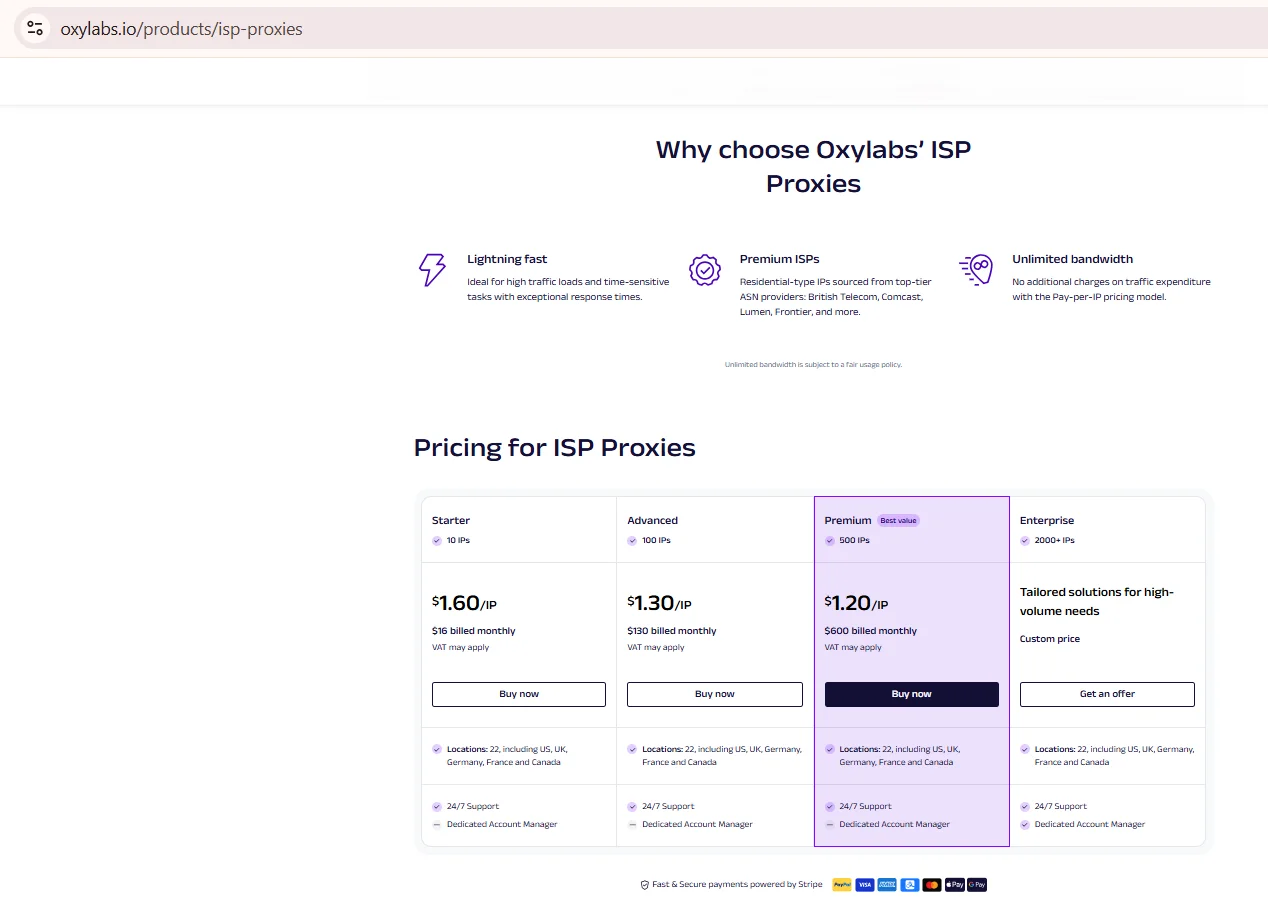
Source: Why choose Oxylabs ISP Proxies, oxylabs.io, screenshot taken 21.08.2026
💡 Check an IP's reputation before assigning it; a burned address causes problems no matter how legitimate the login is.
Which proxy type fits account management
The right proxy type depends on session stability needs and how strict the platform is about shared or rotating addresses. Static residential proxies use real household IP ranges fixed for an assignment. Mobile ranges add trust through carrier networks. Datacenter ranges are fast and cheap, but easiest for a platform to flag.
| Proxy type | Session stability | What to verify |
|---|---|---|
| Static residential | ✅ Fixed IP for session length | Rotation interval, if any |
| Static ISP | ✅ Fixed IP, datacenter speed | ASN reputation |
| Mobile | ⚠️ Depends on carrier rotation | Sticky session support |
| Datacenter | ❌ Not suited for account logins | not published by most providers |
For account work, static residential proxies are built for a fixed session, since the address never changes mid-session and the platform sees one steady fingerprint throughout the whole login, from start to finish.
Sticky sessions and session length
For an authorized login that tends to run for a good long while before logout, keeping one IP steady for the whole session matters more than raw speed, which is the entire premise behind a sticky session proxy. A rotating proxy that changes mid-session looks like the account jumped between two devices, the exact pattern automated detection is built to catch. A sticky session keeps that pattern from appearing, with length set roughly in line with a normal login.
Matching geo, timezone and language
Consistency across geo, timezone, and browser language keeps a footprint coherent, and mismatches are among the easiest things for a platform to catch. For multi account proxies specifically, a mismatched signal is often the first thing that gives a shared setup away. If a resolved IP location shows Texas but the browser reports a Berlin timezone, that gap raises a flag before anything else matters. Matching these details is not complicated, but it needs to happen for every profile.
| Signal | What to match | Why it matters |
|---|---|---|
| IP location | City or region of the proxy | Sets the baseline expectation |
| Timezone | Browser and OS clock | A mismatch is an easy automated flag |
| Language | Browser locale, Accept-Language header | Should match the target region |
Once geo, timezone, and language line up, teams running multi account proxies at scale see the account behave like a genuine local user.
How to set up proxies for multiple profiles step by step
Setting up a proxy correctly for account work takes a handful of deliberate steps, not a single toggle. Skipping any one step usually causes an account to get flagged weeks later, not on day one. Most of the work happens once, up front, before the first login ever occurs, and the sequence below holds no matter which static residential proxies or other type gets picked.
Step 1. Pick a proxy type matching session length and platform sensitivity.
Step 2. Assign one dedicated IP per browser profile, never shared.
Step 3. Configure authentication and confirm the connection.
Step 4. Check the resolved geo location with an IP lookup tool.
Step 5. Run a leak test to confirm DNS and WebRTC stay hidden.
Step 6. Document the IP, type, and assigned profile in a shared sheet.
Working with antidetect browsers
A proxy and an antidetect browser solve two different problems, and mixing them up is a common mistake. The proxy controls the network layer; the browser controls the fingerprint layer, meaning canvas, fonts, and other markers a page reads. Running social media proxies without profile isolation still leaves fingerprint overlap between accounts, defeating half the purpose. Pairing a dedicated IP with a separate browser profile per account closes both gaps at once, which is the setup most agencies land on eventually, once cheaper shortcuts stop holding up under real scrutiny during a platform's own account review process.
Compliance notes (USA)
Using multi account proxies for accounts you are not authorized to manage sits outside this guide's scope and against most platforms' terms of service. Every setup assumes real authorization: an agency contract, a brand profile, or a QA account under a legitimate, clearly documented internal process that a compliance review could hold up against, kept current as team assignments change.
This applies equally to ISP proxies and every other proxy type covered here, without exception, whether the account belongs to an agency or a solo operator. Users stay responsible for the terms of service of every platform they connect to, and for using proxy infrastructure within applicable US law. Using proxies from NSOCKS, you confirm that you apply them within current US legislation.
Common mistakes
A handful of setup mistakes account for most account-linking problems that agencies and QA teams run into. Skipping a sticky session proxy for a rotating pool during login is one of the most common. Reusing one IP across two client accounts and ignoring timezone mismatches round out the list.
| Mistake | Impact | Fix |
|---|---|---|
| Sharing one IP across accounts | Accounts get linked | Assign a dedicated IP per profile |
| Using rotating proxies for logins | Session looks hijacked | Use a fixed IP for the login window |
| Ignoring timezone mismatch | Easy automated flag | Match browser clock to IP location |
| Skipping leak tests | Real IP gets exposed | Run a DNS/WebRTC leak check first |
How NSOCKS supports multi-profile setups
Disclosure: NSOCKS is our service. NSOCKS provides static residential and ISP proxies built for account work, with a dedicated IP per order so a profile never shares its address. Session length, ASN, and city can be set per order.
| Feature | What it means in practice |
|---|---|
| Dedicated IP per order | ✅ No shared address with other users |
| Sticky session support | ✅ documented session length options |
| ASN and city targeting | ✅ documented geo selection |
| Reseller pricing tiers | ⚠️ documented with volume limits |
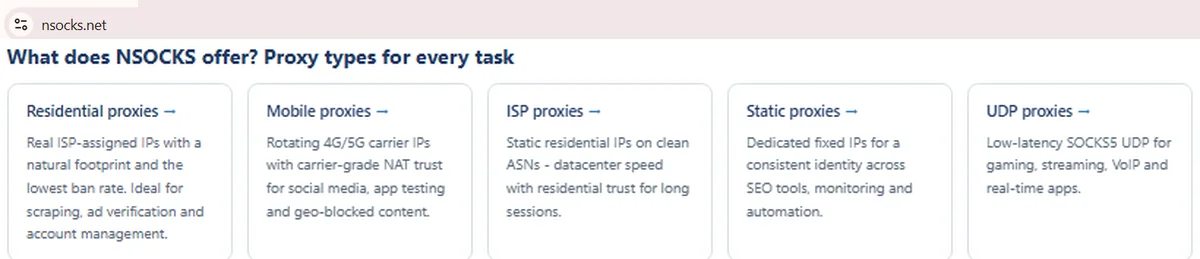
Source: Proxy types block, nsocks.net, screenshot taken 21.08.2026
🔗 Every plan can run as a sticky session proxy on request. Try a demo, buy proxies, or register for full access to test a dedicated IP on your own workflow.
Key takeaways
A few points from this guide are worth keeping close at hand before setting up any dedicated proxy for account work. Most account-linking issues trace back to a shared IP or a mismatched signal, not a mysterious algorithm change. Native access should come first whenever it exists, and multi account proxies only earn their place once native tools stop covering the workflow.
- ✅ Check platform-native team access before adding any proxy.
- ✅ One dedicated IP per authorized account, never shared.
- ✅ Static residential or ISP ranges suit long login sessions best.
- ✅ Match geo, timezone, and language to the assigned IP.
- ❌ Rotating proxies mid-session look like account hijacking.
Disclosure and data sources
This article is published by NSOCKS. NSOCKS is one of the services listed and we have a commercial interest in it. We are not affiliated with any other provider mentioned; none of them sponsored or reviewed this article. Third-party data was taken from the providers' own pages on August, 2026, and may be promotional. All trademarks belong to their respective owners and are used for identification only.
Frequently asked questions
These short answers cover the questions readers ask most often about setting up proxies for authorized account work. They stay brief on purpose, so each one is easy to scan. Longer detail on any of these points sits in the sections above.
Do I need proxies if the platform has a built-in team access tool?
Not usually. Native team access covers most authorized multi-user needs without a separate IP.
Do I need a separate proxy for each account?
Yes, one dedicated IP per authorized account keeps sessions from being linked together.
Which proxy type is best for managing client accounts?
Static residential or ISP ranges suit long, authorized login sessions best.
Should I use rotating or sticky sessions for logins?
Sticky sessions. A fixed IP through the whole session avoids hijack-like signals.
Does an antidetect browser replace proxies?
No. It handles the fingerprint layer, while a proxy handles the network layer.
How do I keep geo and timezone consistent?
Match the browser's timezone and language settings to the proxy's resolved location.