Rotating vs sticky sessions explained
Rotating vs sticky proxy describes two ways to manage IP continuity. Rotating access changes the address by request or schedule, while sticky access keeps one address for a set period. The first suits broad data tasks; the second supports stable logins and QA. Both should be used legally in the USA and within platform rules.
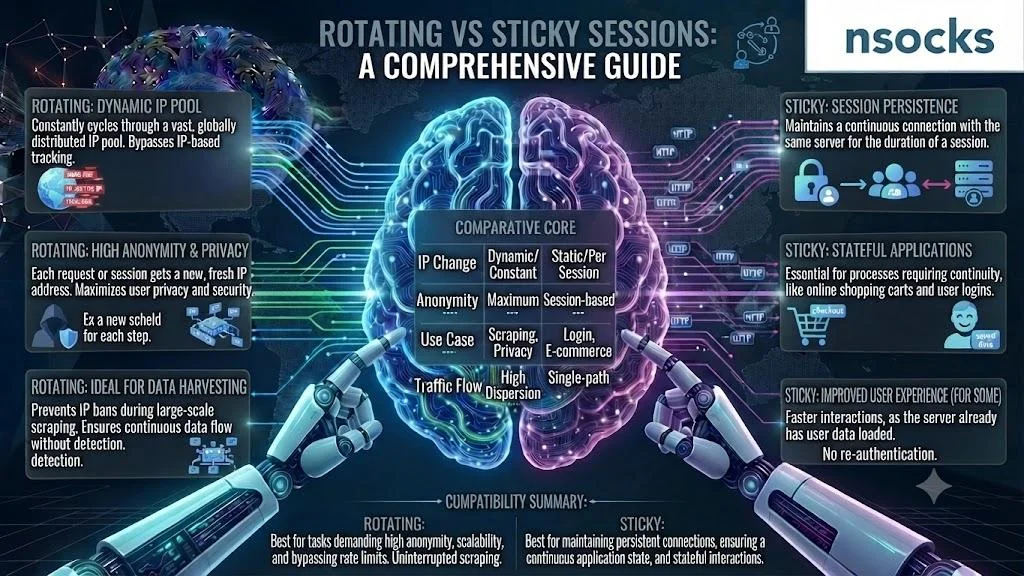
What is a rotating session
A rotating session changes the outgoing IP by request count, timer, or provider rule. In a rotating vs sticky proxy choice, this model works when a task needs fresh routes instead of one long connection.
✅ Advantages:
- Broad reach
- Flexible distribution
- Useful for checks
❌ Limitations:
- Login continuity may suffer
- Reports need timestamps
- Poor rules can create noise
Record location, timing, and task owner.
What is a sticky session
A sticky session keeps the same IP for a set window, improving connection stability during workflows. In a rotating vs sticky proxy comparison, this option suits logins, checkout tests, and multi-step QA.
✅ Advantages:
- Better continuity
- Predictable behavior
- Easier issue reproduction
❌ Limitations:
- Less address variety
- Session length needs planning
- A weak endpoint affects the test
Well-managed sticky sessions make workflows easier to audit.
How rotating sessions work
Rotating access can change the IP after each request or interval. A rotating proxy pulls the next address from a proxy pool, while rules decide when the change happens.
Request-based rotation fits large datasets. Time-based rotation suits short workflows needing brief continuity.
How sticky sessions work
Sticky access binds one IP to a session ID, username, or time window. Sticky sessions may last several minutes or longer, depending on provider rules and network status.
The benefit is session control. A team can repeat a form or login without an unexpected address change.
Rotating vs sticky: side-by-side comparison
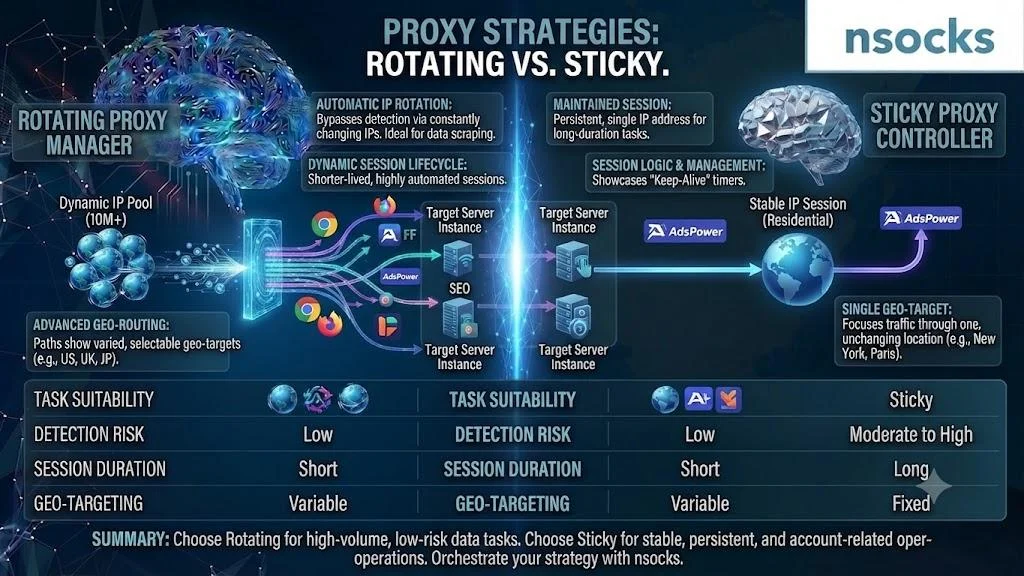
The choice depends on whether the task values address variety or continuity. Rotating vs sticky proxy decisions should consider length, login needs, volume, and reporting.
| Criterion | Rotating access | Sticky access |
|---|---|---|
| IP behavior | Changes by rule | Remains fixed temporarily |
| Stability | Lower per session | Higher per session |
| Duration | Short or variable | Defined window |
| Best tasks | Public datasets | Logins and UX checks |
| Reporting | Needs timestamps | Easier to reproduce |
Neither model is always better. Let the task define the rule.
When to use rotating sessions
Use rotation for broad sampling or open data collection at scale. In a rotating vs sticky proxy decision, choose it when one IP need not stay attached to the full workflow.
Good tasks include:
- Public price monitoring
- Search result analysis
- Large catalog checks
- Regional data review
Respect clear limits and website terms.
When to use sticky sessions
Use sticky access for logins, forms, or repeated UX checks. In a rotating vs sticky proxy comparison, continuity matters more than address variety.
Typical tasks include:
- Dashboard testing
- Checkout QA
- App flow review
- Long browser sessions
For a residential proxy, location should match the brief. Proper sticky sessions make geo targeting easier to document.
How to choose the right rotation interval
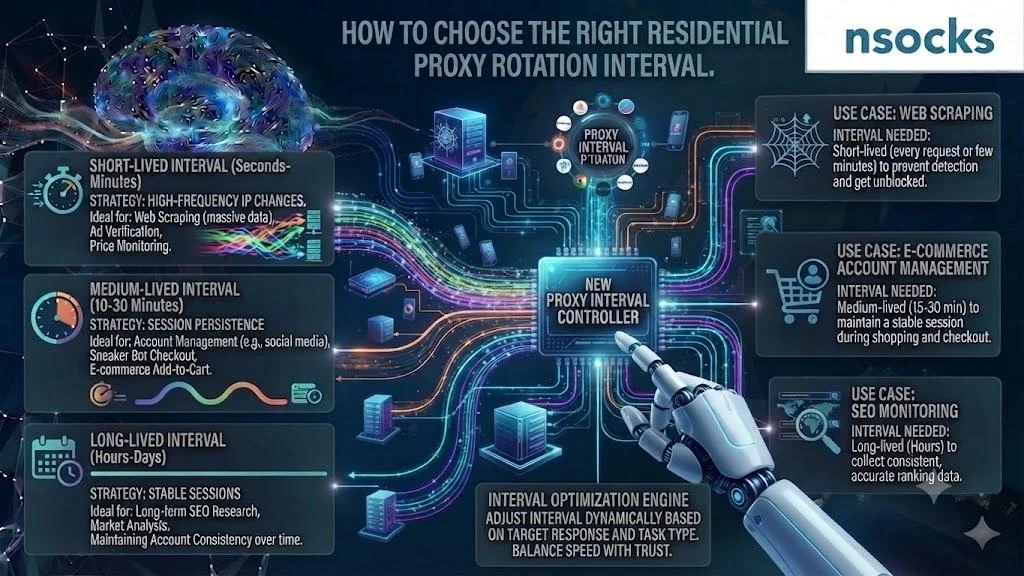
Choose the interval by task length, not guesswork. Short requests may rotate often; multi-step flows need time to finish.
💡 Practical method:
- Step 1: measure task duration.
- Step 2: add a safety margin.
- Step 3: test twice.
- Step 4: adjust one setting.
A clear interval reduces failures and messy reports.
Common mistakes
Most errors come from choosing a session type before defining the task. Changing several settings together makes troubleshooting harder.
❌ Common warning signs:
- Rotation during login
- No test timestamps
- Wrong region
- Shared credentials
Document the task first. Test one variable at a time.
| Mistake | Impact | Fix |
|---|---|---|
| Too short | Broken workflow | Extend the session |
| Too long | Limited sampling | Shorten the window |
| Wrong location | Inaccurate result | Match the target region |
| No session notes | Hard diagnosis | Record time and profile |
Real-world examples
Projects may need both models. Sticky sessions help a QA team reproduce a checkout issue, while rotation helps compare public product pages across locations.
A marketing team may keep one stable session for a landing page journey, then rotate between cities for localization checks. An operations team may keep one endpoint for monitoring and rotate for audits.
How to handle rotating and sticky sessions
A practical rotating vs sticky proxy setup starts with one task, one owner, and a measurable result. Nsocks supports controlled workflows with clear locations, stable credentials, and transparent $ planning.
| Feature | Benefit |
|---|---|
| Session controls | Better task matching |
| US locations | Relevant regional tests |
| Clear credentials | Fewer setup errors |
| Dashboard | Easier team oversight |
| Support | Faster troubleshooting |
Use proxies after confirming fit, or register for full access when profiles need team management.
Key takeaways
These points simplify your choice. Match session behavior to the real workflow.
- Rotation fits large public data work.
- Sticky access fits logins and multi-step QA.
- Session length should match the task.
- Clear notes improve repeatability.
- Legal US use and platform rules apply.
Frequently asked questions
What is the difference between rotating and sticky sessions?
Rotating access changes IPs by rule, while sticky access keeps one IP for a set period.
When should I use a sticky session?
Use it for logins, forms, checkout tests, and other continuous workflows.
Do rotating proxies break login sessions?
They can if the IP changes before the login workflow ends. Use a longer session when continuity matters.
How long does a sticky session last?
The duration depends on provider settings and network availability. It may range from minutes to longer windows.
Which is better for scraping, rotating or sticky?
For lawful public data work, rotation fits scale, while sticky access fits multi-step pages needing continuity.