How to check if your proxy is working
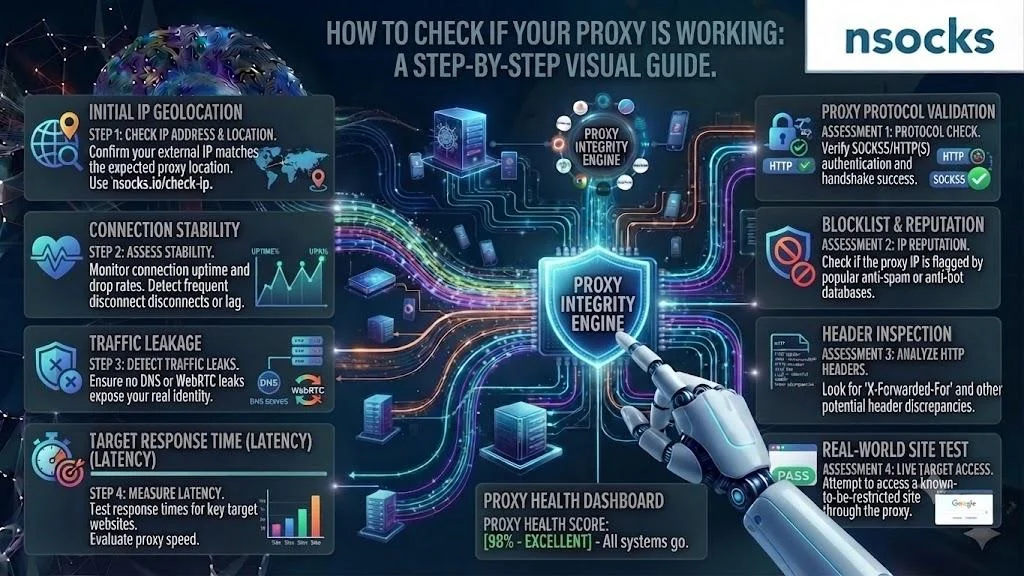
The fastest way to learn how to check if proxy is working is to compare your public IP before and after activation. If the address or location changes, the route is active. Then check speed, DNS, WebRTC, and geography for stable, lawful US business use.
Why you should test a proxy first
Testing first prevents bad reports and failed workflows. A test proxy connection check confirms that host, port, credentials, protocol, and region match.
💡 Record the original IP, region, and test time.
How to check your IP changed step by step
To understand how to check if proxy is working, compare the normal address with the one shown after connection. A change confirms routing, not speed or leak protection.
- Step 1: Open an IP checker without the proxy.
- Step 2: Record the address and location.
- Step 3: Activate the proxy.
- Step 4: Reload the checker.
- Step 5: Compare both results.
The IP check should match the chosen region. Repeat once to rule out cache.
| What to check | Expected result |
|---|---|
| Public address | Different from the original |
| Region | Matches the selected location |
| Network owner | Fits the endpoint |
| Page access | Loads normally |
How to test speed and stability
A useful proxy test measures connection speed across several loads. Check latency, errors, and consistency because one fast result can hide weak routing.
- Step 1: Test a simple page.
- Step 2: Open the real work page.
- Step 3: Record load time.
- Step 4: Repeat after 10 minutes.
- Step 5: Compare delays and failures.
A closer US region improves speed.
How to check for DNS leaks
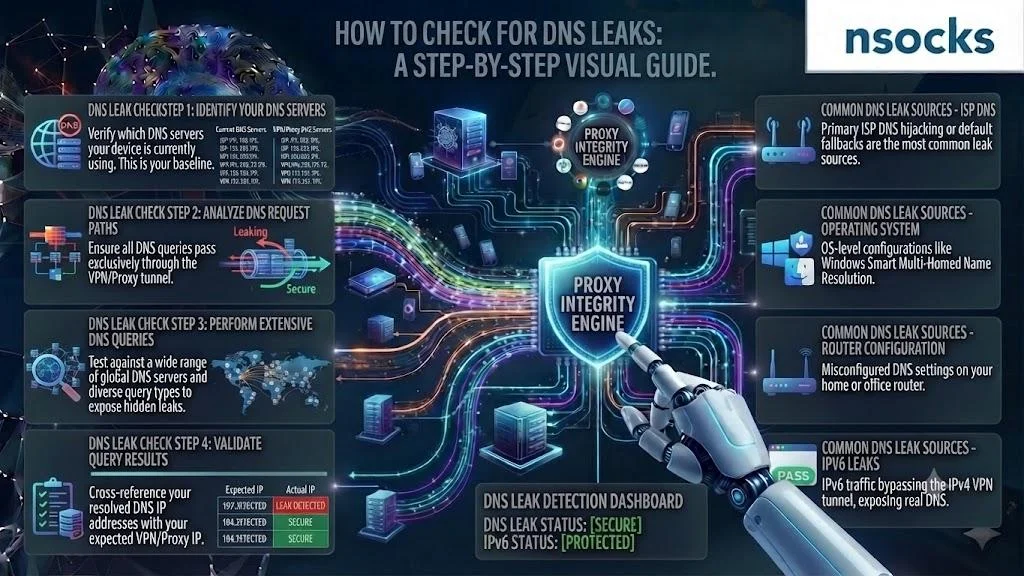
To check proxy IP correctly, review the DNS servers shown while connected. A DNS leak means requests still use the original resolver, exposing network details or distorting location checks.
- Step 1: Connect the proxy.
- Step 2: Open a DNS checker.
- Step 3: Run standard and extended tests.
- Step 4: Compare the resolver with the chosen region.
❌ Warning signs:
- Your ISP appears
- The original region appears
- Results change unexpectedly
How to check for WebRTC and IP leaks
A WebRTC check shows whether the browser reveals another address. Knowing how to check if proxy is working requires checking browser behavior and the public IP result.
- Step 1: Keep the proxy active.
- Step 2: Open a WebRTC checker.
- Step 3: Review public and local addresses.
- Step 4: Adjust browser settings if policy allows.
- Step 5: Test again.
Use a clean profile for reliable results.
How to check anonymity level
An anonymity test shows what address details a site can see. Another part of how to check if proxy is working is confirming that the original address stays hidden.
✅ Good signs:
- The original address is hidden
- The selected location appears
- No unexpected forwarding data appears
❌ Problems:
- The original address remains visible
- Location signals conflict
- Login prompts repeat
How to verify geo accuracy
Geo accuracy means the visible location matches the ordered region. A test proxy connection review should use several services because databases update at different times.
💡 For US QA, record country, state, city, time zone, and $ pricing.
Common reasons a proxy fails

A failed proxy test often comes from wrong credentials, port, protocol, or an expired endpoint. Wi-Fi, firewall rules, and cache can interrupt access.
❌ Common signals:
- No pages load
- Login prompts repeat
- The old address remains visible
- The route drops often
Do not replace every value at once. Change one setting, retest, and record the result.
| Issue | Cause | Fix |
|---|---|---|
| No connection | Wrong host or port | Copy values again |
| Login loop | Invalid credentials | Refresh login data |
| Wrong region | Incorrect endpoint | Select the right location |
| Slow pages | Distant route | Test a closer region |
| Random drops | Weak local network | Use stable Wi-Fi |
Tools you can use
You need only basic tools to learn how to check if proxy is working. An IP checker, DNS test, WebRTC checker, location service, and speed tool cover common diagnostics.
Choose clear tools without unnecessary access. Save screenshots and test times.
How to make proxy testing easy
A repeatable check proxy IP process needs clear credentials, US locations, and a dashboard. Nsocks supports lawful QA and monitoring.
| Feature | Benefit |
|---|---|
| Clear access data | Fewer setup mistakes |
| US locations | Better regional checks |
| Stable endpoints | Consistent reports |
| Dashboard controls | Faster management |
| Support | Quicker troubleshooting |
Start with Try demo. Use Buy proxies after a stable test, or Register for full access for more profiles and $ planning.
Key takeaways
A complete test proxy connection routine checks routing, leaks, speed, and location. Use the same order so results stay comparable.
- Compare the public address before and after connection.
- Test DNS and WebRTC behavior.
- Measure stability more than once.
- Verify the selected US location.
- Save screenshots and times.
Frequently asked questions
How do I know if my proxy is working?
Compare your public address before and after connection. A changed address and correct location indicate active routing.
How do I check my proxy IP address?
Open an IP-checking website while connected and compare its result with your original address.
What is a DNS leak and how do I check for it?
It occurs when requests use the original resolver. Run a DNS checker and review the displayed server details.
Why is my proxy not connecting?
Common causes include an incorrect host, port, protocol, password, firewall rule, or expired endpoint.
How do I test my proxy speed?
Measure several page loads, record latency and errors, then repeat in similar conditions.